
How Fraudsters Are Making Their Way into Your Group Chats and How You Can Stay Safe from Them – UPIPE
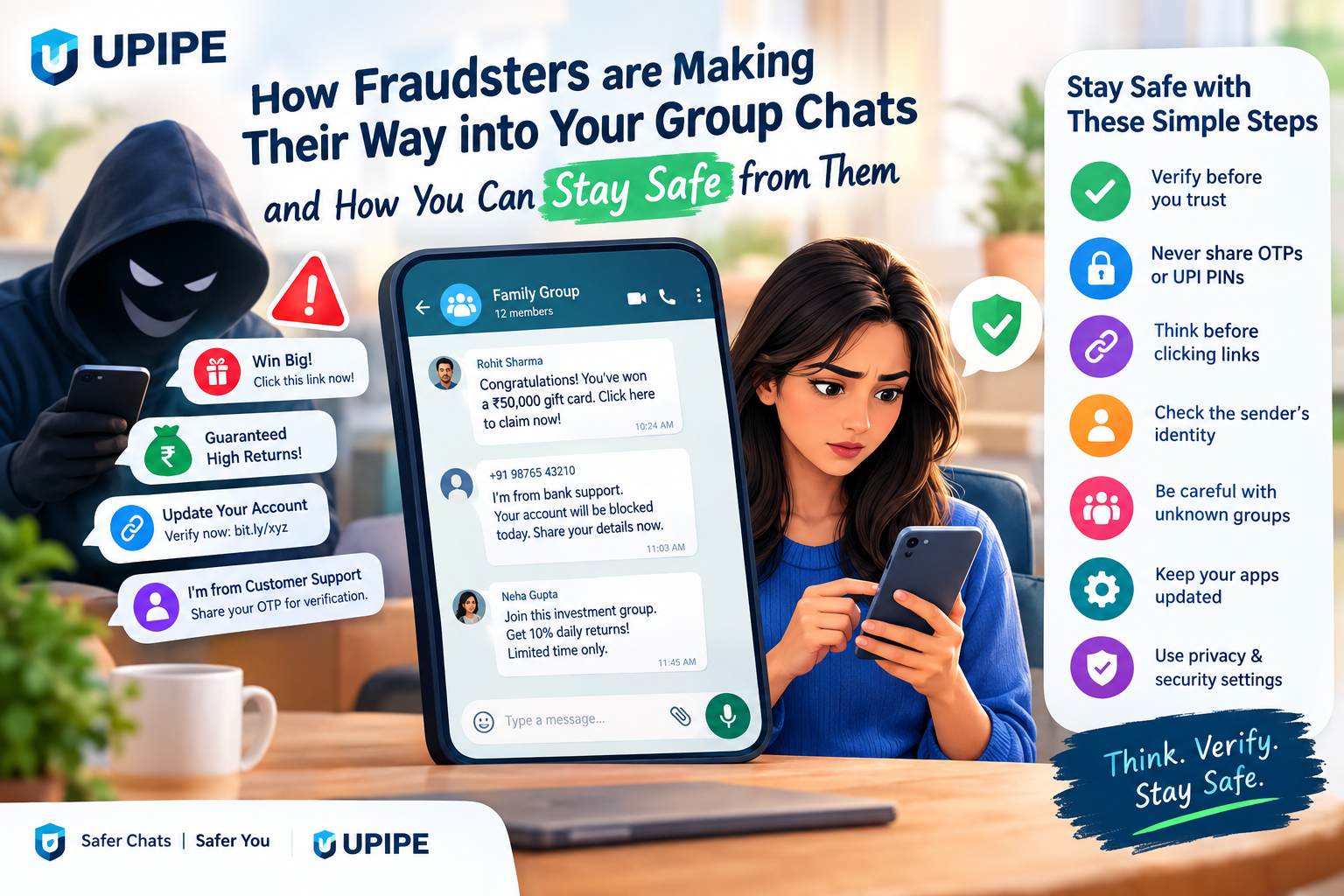
Group chats have become a regular part of our everyday lives. Whether it is a family WhatsApp group, an office community, a college group, a neighbourhood chat, or an online interest group, these spaces make it easy to communicate and share information.
But there is another side to this convenience. Fraudsters and scammers are increasingly trying to enter online group chats to target unsuspecting users. Once inside, they may share fake offers, suspicious links, investment schemes, impersonation messages, or requests for money and personal information.
The good news is that staying safe does not require complicated technical knowledge. A few simple habits can significantly reduce your chances of falling for a group-chat scam.
Why Are Fraudsters Targeting Group Chats?
Group chats are attractive to scammers because they bring multiple people together in one place. A fraudster does not necessarily have to approach every person individually. By gaining access to a group, they can potentially reach dozens or even hundreds of users.
There is also an important element of trust.
When a suspicious message appears in a group where you already know some members, it can feel more genuine. Fraudsters may take advantage of this familiarity by pretending to be an existing member, administrator, customer-support representative, colleague, or another trusted person.
Their objective can vary, but common goals include:
Stealing money
Collecting personal information
Getting access to accounts
Spreading malicious links
Promoting fake investment opportunities
Stealing OTPs or verification codes
Impersonating someone you know
Redirecting users to fake websites
How Do Fraudsters Get Into Group Chats?
There is no single method used by every scammer. Their approach can depend on the platform and the type of group they are targeting.
1. Fake Profiles and Impersonation
A scammer may create a profile using a familiar-looking name, photo, or description. They might pretend to be someone you know or someone associated with the group.
For example, a person could claim to be a group administrator and send a message such as:
"Your account needs verification. Click this link immediately."
The message may look convincing, but the link could lead to a fake website designed to collect your login details.
2. Suspicious Links
Links are one of the most common tools used in online scams.
A fraudster may post a message about:
Free gifts
Discounts
Job opportunities
Cashback
Investment returns
Account verification
Event registrations
Exclusive offers
The message may create urgency and encourage you to click quickly.
Before opening a link, check where it leads. If the website address looks unusual, contains spelling mistakes, or does not match the claimed organisation, treat it carefully.
3. Fake Investment and Money-Making Offers
Group chats can also become a place for fraudulent investment promotions.
A scammer may share screenshots showing supposedly successful investments and claim that members can earn guaranteed or unusually high returns.
They may encourage people to deposit money quickly or join a private group for "exclusive tips."
Remember: guaranteed profits and pressure to invest immediately are major warning signs.
4. Fake Customer Support
Another common technique is impersonating customer support.
A scammer may see someone asking for help in a group and respond with a phone number or link, claiming to be an official support representative.
They may then ask for:
OTPs
Passwords
Card details
UPI PINs
Account credentials
Screen-sharing access
Legitimate support teams generally do not need your confidential authentication information.
Common Warning Signs of a Group Chat Scam
Scammers often use psychological tricks to make people act before thinking.
Watch out for messages that:
Create Urgency
"Do this within 10 minutes."
"Your account will be blocked today."
"Last chance!"
Urgency is often used to stop you from checking whether the message is genuine.
Promise Something That Sounds Too Good
"Earn ₹10,000 today."
"Get a guaranteed return."
"Congratulations! You have won."
If an offer sounds unrealistic, take a step back and verify it independently.
Ask for Confidential Information
Never casually share passwords, OTPs, UPI PINs, card PINs, or other sensitive authentication information in a group chat.
Encourage You to Move to a Private Chat
A fraudster may initially contact you in a group and then ask you to continue the conversation privately.
Moving away from the group can make it harder for others to notice suspicious behaviour.
Use Poorly Written or Unusual Messages
Spelling mistakes alone do not prove that something is fraudulent. However, unusual wording combined with suspicious links, pressure, or requests for money should make you more cautious.
How to Stay Safe from Fraudsters in Group Chats
The most effective protection is a combination of awareness and simple digital-security habits.
1. Verify Before You Trust
Do not assume a message is genuine simply because it appears in a group you trust.
If someone claims to represent a company, bank, platform, or organisation, verify the information through its official website or another trusted channel.
Do not use the contact information provided in a suspicious message for verification.
2. Never Share OTPs or UPI PINs
Your OTP, UPI PIN, card PIN, and passwords are private.
A genuine person or organisation should not ask you to reveal these credentials through a group chat.
If someone asks for them, stop the conversation and verify the request.
3. Think Before Clicking
Before opening a link, ask yourself:
Do I know who sent it?
Was I expecting this link?
Does the website address look legitimate?
Is the message creating unnecessary urgency?
Is it asking for personal or financial information?
If something feels unusual, do not click.
4. Check the Sender's Identity
A familiar name or profile picture is not enough.
Fraudsters can create accounts that look similar to genuine users. If someone suddenly asks for money or sensitive information, verify their identity using a separate communication method.
For example, call the person directly using a number you already have instead of replying to the suspicious message.
5. Be Careful With Unknown Group Invitations
Do not automatically accept invitations to unfamiliar groups.
If you are added to a group containing unknown people and suspicious promotional messages, avoid interacting with links or sharing personal information.
You can leave the group and report suspicious accounts or messages when appropriate.
6. Keep Your Apps Updated
Security updates can fix vulnerabilities and improve protection.
Keep your messaging apps, operating system, browser, and security software updated to their latest available versions.
7. Use Privacy and Security Settings
Most major messaging platforms provide privacy and security controls.
Review settings related to:
Who can add you to groups
Profile visibility
Two-step verification
Linked devices
Account recovery
Blocked contacts
Take a few minutes to review these settings regularly.
What Should You Do If You Think You Have Been Scammed?
If you have clicked a suspicious link, shared information, or transferred money, do not panic. Acting quickly can be important.
First, stop communicating with the suspected fraudster.
If you shared a password, change it immediately, especially if you use the same password elsewhere.
If you shared banking or payment information, contact your bank or payment provider through its official support channel.
If money has been transferred because of a suspected digital fraud in India, report it as soon as possible through the appropriate official cybercrime and financial-fraud reporting channels.
You should also preserve relevant evidence, such as:
Screenshots
Group messages
Usernames or phone numbers
Transaction details
Payment references
Suspicious website addresses
Emails or other communications
This information may be useful when reporting the incident.
Why Awareness Matters
Technology makes communication easier, but it can also give fraudsters new ways to approach people.
The important thing is not to become afraid of every group message. Instead, develop a habit of pausing and verifying before taking action.
A simple rule can help:
Stop. Check. Verify. Then act.
If a message asks for money, personal information, account access, or immediate action, take a moment to confirm that the request is genuine.
Final Thoughts
Group chats are useful for staying connected with friends, family, colleagues, customers, and communities. However, the presence of familiar people does not automatically make every message trustworthy.
Fraudsters may use fake identities, suspicious links, attractive offers, impersonation, and urgent requests to gain your trust. Recognising these warning signs is one of the simplest ways to protect yourself.
Never share confidential credentials such as OTPs, passwords, or UPI PINs. Be careful with unexpected links and offers, verify unusual requests independently, and use the privacy and security features available on your messaging platforms.
When something feels suspicious, don't rush. Take a moment to verify it.
Staying safe online is not about knowing every type of scam. It is about building the habit of thinking before you click, pay, or share.